Caller Name Announcer
- 4.4
- Rating
- 1.00M
- Installs
- Free
- Price

 Analysis by App-foxy
I find Caller Name Announcer most useful in the moments when looking at the phone is inconvenient, unsafe, or simply impossible. Instead of treating the app as a full replacement for the normal incoming-call screen, I see it as a small communication aid: it gives an audible clue about who is calling so I can decide whether to reach for the device. That distinction matters, especially for people who have difficulty reading a screen quickly or who often keep their phone out of sight.
Developed by Appsbuyout, this free communication app has built a sizeable audience, with over one million installs, an average rating of 4.5, and around 13 thousand ratings. It is suitable for Everyone, runs on Android 10 or later, and its current version is 2.12.0.1328. Those details make it relatively easy to consider for a shared household or a personal phone, although the real question is not popularity. The important question is whether spoken caller information fits the way you actually use your phone.
How clearly it works when the screen is difficult to use
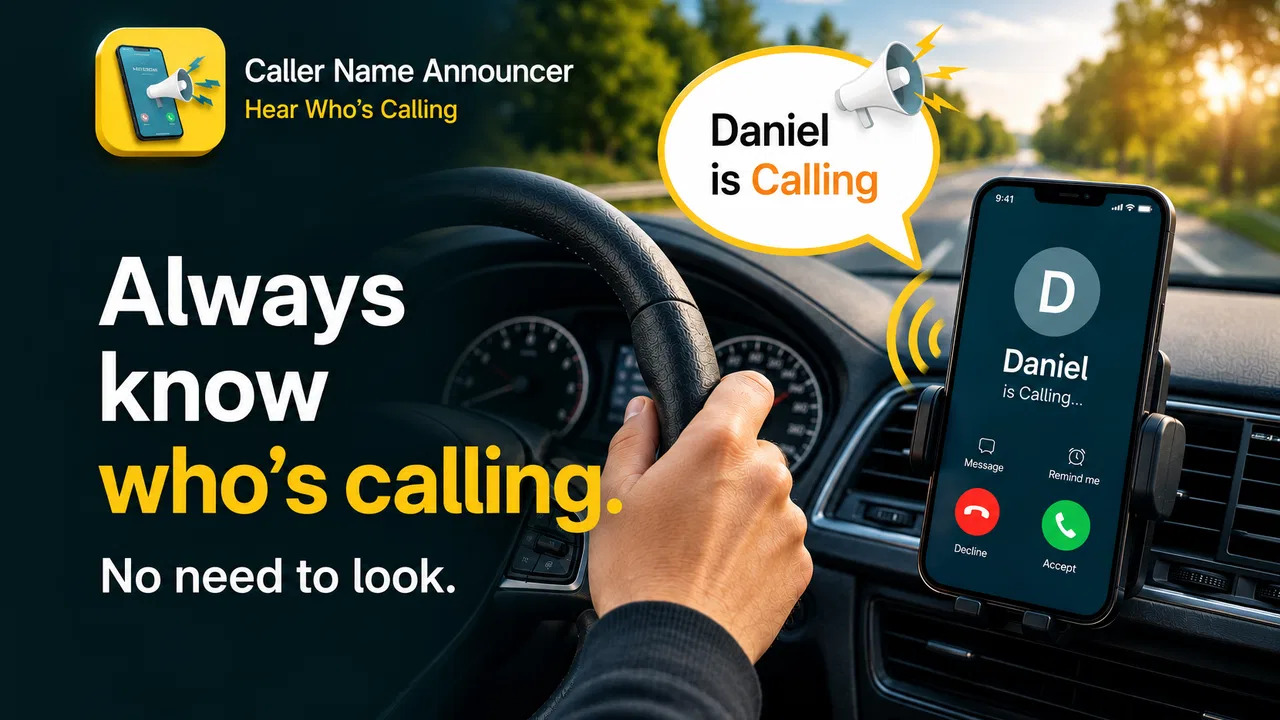
The central idea is refreshingly direct: when a call arrives, the app announces the caller’s name aloud. That can reduce the need to unlock the phone, locate the notification, adjust the viewing angle, or distinguish a contact photo from a stranger’s number. In my experience, the value comes from removing one small but important step rather than adding a large collection of controls.
You May Also Like

 Blood Strike: 2.5 Anniversary
Blood Strike’s Loadouts Turn Every Drop Into a Tactical Gamble
A close look at Blood Strike’s custom loadouts: how fast access to signature weapons reshapes its battle royale rhythm, rewards preparation, and narrows the gap between fights.

 Pandora - Music & Podcasts
Pandora’s Music Is Easy to Start, but Harder to Recover
Pandora’s strength is its low-effort path from a seed to a station. Its weak spot is how much confidence it asks you to place in connection, setup, and quiet recovery.

 8 Ball Pool
 Is Built on Rivalries, Rematches, and Routine
A close look at the rivalries, rematches, shared routines, and unanswered safety questions that turn a quick pool match into a persistent mobile community.

 Samsung Music
’s Quiet Strength Is Playing What You Already Own
Its reach comes less from spectacle than from dependable access to a personal library. That simplicity is both the app’s strongest retention engine and its ceiling.

 AccuWeather: Weather Radar
AccuWeather Review: A Quick, Clear Forecast for Everyday Decisions
For everyday plans, the best forecast is the one you can understand quickly. AccuWeather makes rain timing, radar, and local conditions easy to act on, with a few trade-offs.

 Hill Climb Racing
Why Hill Climb Racing Still Turns Crashes Into One More Run
A tiny car, a bumpy hill and one more upgrade: Hill Climb Racing keeps resurfacing because its simple chaos makes every near-miss feel personal.
More From Our News Desk



For someone with reduced vision, glare sensitivity, or difficulty focusing on small text, an audible name can be more useful than a conventional ringtone. A ringtone tells me that something is happening; a spoken announcement helps me decide what to do next. That makes the app relevant to people who can hear speech more comfortably than they can read an incoming-call display.
It can also help users who are still learning the layout of a phone. Android’s standard call interface may be familiar to experienced users, but it can feel visually busy when attention is divided. Caller Name Announcer offers a separate cue that does not depend on finding the right button or interpreting several pieces of information at once.
There is a practical limitation here: the announcement is only useful if the spoken result is understandable. Contact names with unusual spellings, abbreviations, emojis, or mixed languages may sound awkward. A person who relies on a screen reader for detailed phone navigation should not assume this app replaces that broader support. It addresses caller identification, not every accessibility need in the calling experience.
What I would check before relying on it
I would begin with a saved contact whose name is easy to recognize, then test another contact with a longer or less conventional name. This simple check tells me whether the spoken output is clear enough for everyday use. I would also test it from another phone rather than waiting for an important call. A short trial in a quiet room is useful, but a second test in the places where I normally use my phone gives a more honest result.
One non-obvious benefit is that the app can change the order of attention. Instead of first interpreting a ringtone and then searching for visual information, I can hear the identity cue immediately and decide whether the call deserves action. That is especially helpful when I am carrying something, wearing gloves, or working with my hands.
At the same time, I would avoid assuming that every incoming call will be identified by name. An unknown number, a contact that has not been saved, or a caller whose information is not available in the expected form may not produce the same useful result. For those calls, the app should be viewed as an extra layer of awareness rather than a complete caller-screening system.
Motor, hearing, and sensory considerations in daily use
The strongest inclusive quality here is that the app can reduce the need for quick physical interaction. If reaching for a phone is difficult because of limited dexterity, tremor, pain, or a temporary injury, hearing the caller’s name may provide enough information to postpone handling the device. That can make a small difference several times a day.
Consider a realistic situation: I am cooking, my hands are wet, and the phone is on a counter behind me. A standard ringtone tells me to stop and look. With a spoken caller announcement, I can hear whether the call is from a family member, a delivery contact, or someone I can call back later. I still need to interact with the phone to answer, but I do not need to interrupt the task before knowing whether answering is worthwhile.
The same logic applies when the phone is in a bag, mounted in a vehicle, or placed across a room. It may help a person who has difficulty seeing the display from a distance, as well as someone whose attention is occupied by another task. This is situational access rather than a complete accessibility redesign, but it is a meaningful improvement in those moments.
For people who are deaf or hard of hearing, the app’s main spoken feature may offer little or no benefit on its own. A visual or vibrating alert may be more appropriate, depending on the person’s needs and the phone’s existing settings. I would not recommend this app as the only call alert for anyone who cannot reliably hear synthesized speech.
It can also be a poor fit for people who need a completely silent phone. Announcing a caller aloud may reveal private information in a workplace, waiting room, classroom, or shared home. The feature that improves access for one person can create unwanted exposure for another. Before using it around other people, I would consider whether hearing a contact’s name out loud could disclose a relationship or interrupt the environment.
Useful habits for noisy and quiet environments
I would test the app at the volume I normally use rather than turning the phone up only for the trial. In a quiet room, speech may sound perfectly clear while traffic, machinery, music, or conversation makes it hard to understand. If the announcement is missed, the normal ringtone and call screen still matter, so I would treat the spoken name as an additional signal.
There is an opposite problem in quiet places. A loud announcement can be more noticeable than expected, particularly when the phone is near other people. If privacy is important, I would use the app only in contexts where an audible name is acceptable, or rely on the phone’s ordinary visual and vibration cues instead. This is one of the clearest trade-offs: the app improves awareness by making caller information more noticeable.
Another practical tip is to organize contacts with names that are easy to recognize when spoken. A contact saved as a long description, a nickname shared by several people, or a string of initials may not be as helpful aloud as it is on screen. Cleaning up a few important contacts can improve the experience more than changing the app itself.
Situational access beyond the incoming-call screen
I see the app as particularly relevant for people who alternate between high-attention and low-attention tasks. A driver who should not look down at the phone can learn who is calling without touching the display, although that does not make answering a call while driving automatically safe or appropriate. A person using public transport may keep the phone in a pocket and decide whether to answer after hearing the announcement. Someone with limited mobility may avoid repeatedly reaching for a device just to identify each call.
It can also support older adults who find fast visual notifications stressful. The spoken cue is concrete and immediate: a known person is calling, or the phone has received a call that needs checking. For a family member helping someone configure a device, this can be easier to explain than a collection of visual notification settings.
However, the app is not a substitute for good contact management. If important people are not saved consistently, the announcement will not provide the same recognition benefit. I would first make sure that the contacts that matter most have clear names and that the phone’s normal call behavior is familiar. The app works best as part of a simple routine, not as a magic layer that identifies every caller.
Compared with using only the built-in ringtone, Caller Name Announcer offers more information before I touch the phone. Compared with a full screen reader or broader accessibility settings, it is narrower and easier to understand, but also much less comprehensive. Compared with visual caller-ID apps, its distinctive advantage is that it does not require me to look at a display. The right choice depends on whether the main obstacle is seeing, reaching, hearing, privacy, or something else.
Who is likely to benefit most
I would recommend trying it if you regularly miss calls because you cannot see the screen in time, if you keep the phone out of reach while working, or if reading incoming-call details is tiring. It may also suit caregivers and family members setting up a phone for someone who benefits from a clear audio prompt.
I would be more cautious if your phone is usually kept silent, if you need complete privacy around caller names, or if you cannot hear spoken announcements reliably. People who want advanced call filtering, detailed unknown-number information, or a complete hands-free phone interface may be better served by tools designed specifically for those tasks. This app’s strength is focused identification, not broad call management.
Remaining barriers and the friction I noticed
The biggest barrier is context. A spoken caller name depends on a suitable listening environment, and that environment changes constantly. Speech that works beside a bed may disappear in a busy street. A user who needs dependable access should keep another alert method available rather than depending on the announcement alone.
Privacy is another serious consideration. Hearing a name aloud can be convenient at home and uncomfortable in a shared office. It can also be surprising for visitors who do not expect a phone to announce personal information. I would be deliberate about where the phone is placed and who can hear it before making this a permanent part of my routine.
There is also a learning curve around expectations. The app’s purpose sounds simple, but users may initially expect it to announce every caller perfectly, handle unknown numbers intelligently, or guide them through answering. In practice, its value is more specific: it gives an audible identity cue when the phone receives a call. Keeping that expectation clear prevents disappointment.
Device compatibility deserves a quick check as well. The app requires Android 10 or later, so it is not aimed at every older Android phone. For someone supporting a relative remotely, I would confirm the phone’s Android version before spending time setting it up. The app is free, which lowers the barrier to testing, but free access does not remove the need to check whether the device and the user’s environment are suitable.
I also think about social comfort. Some users may feel self-conscious when a phone speaks unexpectedly in public. Others may find that the announcement draws less attention than repeatedly picking up the phone. This is personal, and the best decision comes from testing it in realistic settings rather than judging it from a quiet setup screen.
My inclusive verdict on Caller Name Announcer
Caller Name Announcer is a focused communication tool with a clear accessibility angle. It does not attempt to redesign calling, and that restraint is part of its appeal. By adding an audible caller identity cue, it can reduce visual dependence and unnecessary handling in situations where the phone is hard to see or reach.
My overall impression is positive, especially for users with visual, motor, or situational barriers that make the normal incoming-call screen inconvenient. The strongest use cases are practical ones: hands occupied in the kitchen, a phone placed across the room, a device inside a bag, or a user who needs more time before deciding whether to answer.
I would not describe it as universally accessible. People who cannot hear speech, need silent alerts, require robust unknown-caller identification, or want a full hands-free calling system may need a different solution. Even users who benefit from it should keep normal visual or vibration alerts available, because noise, privacy, and unfamiliar contact names can all reduce its reliability.
Still, the low-risk way to try it makes sense. Since it is free and rated Everyone, I can test it with a few contacts, listen in the environments that matter to me, and decide whether the spoken cue genuinely reduces effort. With a 4.5 average from around 13 thousand ratings, it is clearly useful to many people, but its real value remains personal and situational.
My recommendation is to treat it as a practical accessibility aid, not a complete calling solution. If hearing a caller’s name helps you avoid a rushed glance or an unnecessary reach for the phone, this small app can earn a permanent place in your routine. If privacy, silence, or hearing limitations are more important than hands-free awareness, the usual phone alerts or a broader accessibility option may be the better choice.
FAQs for Caller Name Announcer
01What is Caller Name Announcer and how does it work?
Caller Name Announcer is an application that audibly announces the name of the caller or sender of a message. It utilizes text-to-speech technology to read out loud the caller’s name or the message content, allowing users to know who is contacting them without needing to look at their device. This feature is particularly useful for hands-free situations.
02Is Caller Name Announcer compatible with both Android and iOS devices?
Yes, Caller Name Announcer is available for both Android and iOS platforms. However, users should verify their device's operating system version to ensure compatibility. The app is regularly updated to support newer versions of these operating systems, so it's advisable to check for the latest updates in the app store.
03Does Caller Name Announcer require an internet connection to function?
Caller Name Announcer generally does not require an internet connection for its basic functionality, as it primarily uses your phone’s built-in text-to-speech engine. However, some features, such as downloading additional voices or updates, might need internet access. It's best to review the app’s permissions and settings for full functionality.
04How can I customize the announcements in Caller Name Announcer?
The app provides various customization options, allowing users to tailor announcements to their liking. You can choose different voices, adjust the speaking speed, and set specific contacts to be announced or muted. Additionally, users can personalize the message format to include specific phrases before or after the caller’s name.
05Is Caller Name Announcer safe and does it protect user privacy?
Caller Name Announcer is designed with user privacy in mind. It requires access to contacts and call logs to function, but it does not store or share your personal data. Always download the app from reputable sources like Google Play Store or Apple App Store, and review the app’s privacy policy to understand how your data is handled.
Pros
- Announces caller names clearly.
- Customizable voice settings.
- Supports multiple languages.
- Works with messaging apps.
- Doesn't drain battery quickly.
Cons
- Background noise affects clarity.
- Limited customization for free version.
- Ads can be intrusive.
- May mispronounce unusual names.
- Requires phone permissions.

Caller Name Announcer
Gallery